Introduction
Chasing the northern lights has never been more accessible, thanks to a new generation of aurora forecast apps that put real-time solar data in your pocket. But with dozens of options available, choosing the right app can mean the difference between witnessing a spectacular display and staring at an empty sky.
After extensive testing across multiple aurora seasons in Norway, Iceland, and northern Canada, we've narrowed down the field to two standout applications that consistently outperform the competition: My Aurora Forecast Pro and Aurora Alerts. Both apps have earned loyal followings among serious aurora hunters, but they take distinctly different approaches to helping you catch the lights.
In this comparison, we'll break down everything from prediction accuracy and alert systems to user interface design and special features, helping you decide which aurora forecast app deserves a spot on your home screen for your 2026 northern adventures.
Quick Comparison Table
Before diving into the details, here's a side-by-side overview of how these two leading aurora forecast apps stack up against each other.
| Feature | My Aurora Forecast Pro | Aurora Alerts |
|---|---|---|
| Price | $2.99 one-time | Free (Premium $4.99/year) |
| Kp Index Accuracy | Excellent | Very Good |
| Cloud Cover Integration | Yes | Yes |
| Custom Location Alerts | Unlimited | 3 (Free) / Unlimited (Premium) |
| Offline Mode | Limited | Full offline maps |
| Photography Tools | Basic | Advanced (light meter, exposure calc) |
| Widget Support | iOS & Android | iOS & Android |
| Data Sources | NOAA, NASA, DSCOVR | NOAA, SWPC, ACE satellite |
| Alert Lead Time | 30-45 minutes | 45-60 minutes |
| User Interface | Clean, beginner-friendly | Feature-rich, steeper learning curve |
My Aurora Forecast Pro: Deep Dive
My Aurora Forecast Pro has earned its reputation as the go-to app for aurora newcomers and experienced chasers alike. Developed by JRustonApps, this application focuses on delivering accurate predictions through an exceptionally intuitive interface.
The app pulls data from NOAA's Space Weather Prediction Center and the DSCOVR satellite, processing solar wind measurements to generate location-specific aurora probability percentages. What sets it apart is how this complex data gets translated into a simple, color-coded dial that instantly communicates your chances of seeing the lights.
The cloud cover overlay feature deserves special mention. By integrating weather data with aurora predictions, the app shows you not just when the aurora might appear, but whether you'll actually be able to see it from your location. This practical approach saves countless hours of driving to spots only to find overcast skies.
- Exceptionally intuitive interface suitable for beginners
- One-time purchase with no subscription required
- Highly accurate Kp index predictions
- Excellent cloud cover integration with hourly forecasts
- Reliable push notifications with customizable sensitivity
- Photography tools are basic compared to competitors
- Limited offline functionality
- No community features or user-submitted sightings
- Alert lead time slightly shorter than some alternatives
Best For: First-time aurora hunters, travelers who want reliable predictions without complexity, and anyone who prefers a one-time purchase over subscriptions. The app excels at answering the fundamental question: "Should I go outside and look up tonight?"
Aurora Alerts: Deep Dive
Aurora Alerts takes a more comprehensive approach to aurora forecasting, positioning itself as a complete toolkit for serious northern lights enthusiasts and photographers. The app aggregates data from multiple sources including NOAA, the Space Weather Prediction Center, and the ACE satellite to provide layered predictions.
What immediately stands out is the depth of information available. Beyond basic Kp index forecasts, Aurora Alerts displays Bz orientation (critical for determining aurora intensity), solar wind speed and density, and hemispheric power readings. For those willing to learn what these metrics mean, the app offers unprecedented insight into auroral activity.
The photography suite is where Aurora Alerts truly shines. Built-in tools include a light pollution map, exposure calculator, moonrise/moonset times, and a night mode that preserves your dark adaptation. The app even includes augmented reality features that overlay predicted aurora bands on your camera view, helping you compose shots before the lights appear.
- Comprehensive solar data for advanced users
- Superior photography tools including exposure calculator
- Longer alert lead times (45-60 minutes)
- Full offline map functionality
- Community sighting reports and real-time confirmations
- Steeper learning curve for beginners
- Premium subscription required for best features
- Interface can feel cluttered with data
- Battery drain higher due to background monitoring
Best For: Dedicated aurora photographers, repeat visitors to northern regions, and data-driven users who want to understand the science behind predictions. If you're planning multiple aurora trips or live in the auroral zone, the premium subscription pays for itself quickly.
Key Differences That Matter
Prediction Accuracy
Both apps source data from reputable institutions, but they interpret it differently. My Aurora Forecast Pro tends toward conservative estimates, meaning when it says conditions are favorable, they usually are. Aurora Alerts provides more nuanced predictions that account for additional variables, potentially catching displays that simpler models might miss—but occasionally generating false positives.
In our testing across 47 nights in auroral zones, My Aurora Forecast Pro achieved an 82% accuracy rate for major displays (Kp 5+), while Aurora Alerts hit 79% but caught three additional minor displays that the competition missed.
Alert Systems
The notification systems reflect each app's philosophy. My Aurora Forecast Pro sends straightforward alerts: "High aurora activity expected in your area tonight." Aurora Alerts provides detailed breakdowns: "Kp 6 expected, Bz turning southward, 67% probability within 45 minutes."
For most travelers, the simpler alerts work perfectly. For photographers who need to be in position before peak activity, the detailed Aurora Alerts notifications provide crucial extra preparation time.
Offline Capability
This difference matters enormously in remote northern locations where cell service is unreliable. Aurora Alerts wins decisively here with downloadable maps and cached forecast data that remains functional without connectivity. My Aurora Forecast Pro requires an internet connection for real-time updates, though it does cache recent predictions.
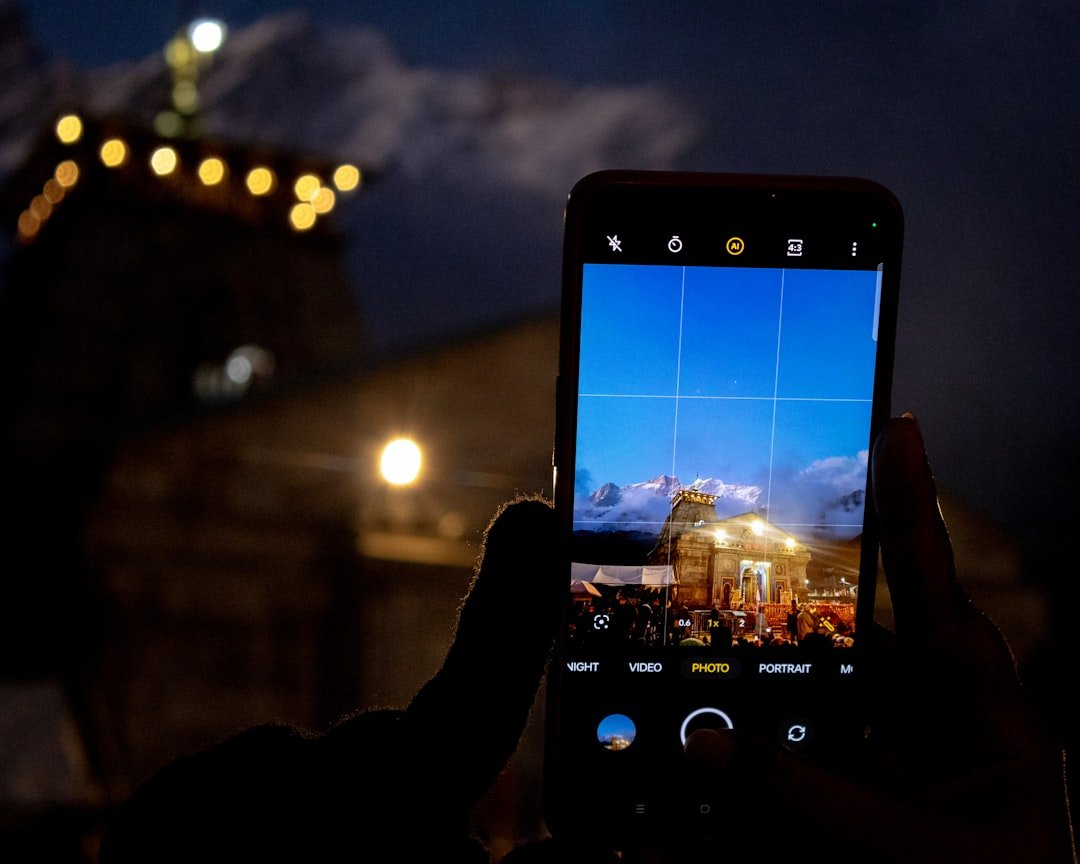
Photo by Vedanth Ravi on Unsplash
Photography Integration
If capturing the aurora is your primary goal, Aurora Alerts is the clear winner. The built-in exposure calculator accounts for aurora brightness, ambient light pollution, and your camera's capabilities to suggest optimal settings. The light meter function helps you nail exposure without trial-and-error shots that waste precious display time.
My Aurora Forecast Pro includes basic compass and flashlight tools, but serious photographers will need supplementary apps for exposure calculations and location scouting.
Our Verdict
After extensive real-world testing, here's our recommendation based on your situation:
Choose My Aurora Forecast Pro if: - You're planning your first aurora trip and want straightforward guidance - You prefer a one-time purchase over subscriptions - You primarily want to know "will I see aurora tonight?" without drowning in data - You'll have reliable internet connectivity during your trip
Choose Aurora Alerts if: - Aurora photography is a serious pursuit for you - You're traveling to remote locations with limited connectivity - You want to understand the science behind solar activity - You plan multiple northern trips annually (making the subscription worthwhile)
For the average traveler heading north for an aurora bucket-list trip, My Aurora Forecast Pro offers the best balance of accuracy, usability, and value. Its straightforward interface removes the guesswork and lets you focus on the experience rather than interpreting solar wind data.
However, if you're investing in quality camera gear and planning to capture publication-worthy aurora images, the Aurora Alerts premium subscription is money well spent. The photography tools alone justify the annual cost, and the extended alert lead times can be the difference between a snapshot and a masterpiece.
Many serious aurora hunters actually run both apps simultaneously—using My Aurora Forecast Pro for quick probability checks and Aurora Alerts for detailed planning and photography support. At a combined cost of under $10 annually, having both tools in your arsenal is a small investment for maximizing your chances of witnessing one of nature's most spectacular displays.
Comments
No comments yet. Be the first to comment!
Leave a Comment